Making one is free. Making them by the dozen is Pro.
Everything you do by hand is free — import, build, randomize, fit, animate and export, in every format, one character at a time. Pro paywalls scale, not the work and not the way out.
Rigkin
- Import packs in USD, glTF and FBX, and Unity packages
- Build, mix, lock and randomize, from any number of packs
- Colors, presets, body build, expressions and eye direction
- Headgear fitted over any hair, and clips from other rigs
- Export in every format, kept current on every save

Rigkin Pro
- Everything in Free
- Make variants of a character in one run
- Generate characters from any project as a recipe
- Shortcuts actions: generate characters, export a project
Bought inside Rigkin, in Settings ▸ Pro — once, for every Mac signed in to your Apple Account.
A crowd from one character.
File ▸ Make Variants… makes as many characters as you ask from the open project. Each is exactly a Randomize with a known seed: the parts are rolled, while the colors, build and fitting you chose are kept — and so is every slot you locked.
- The same project and number always make the same character, on any Mac, so a batch can be made again.
- Written side by side as Name 1, Name 2 and so on, in any format, in a folder you choose — never over a file already there.
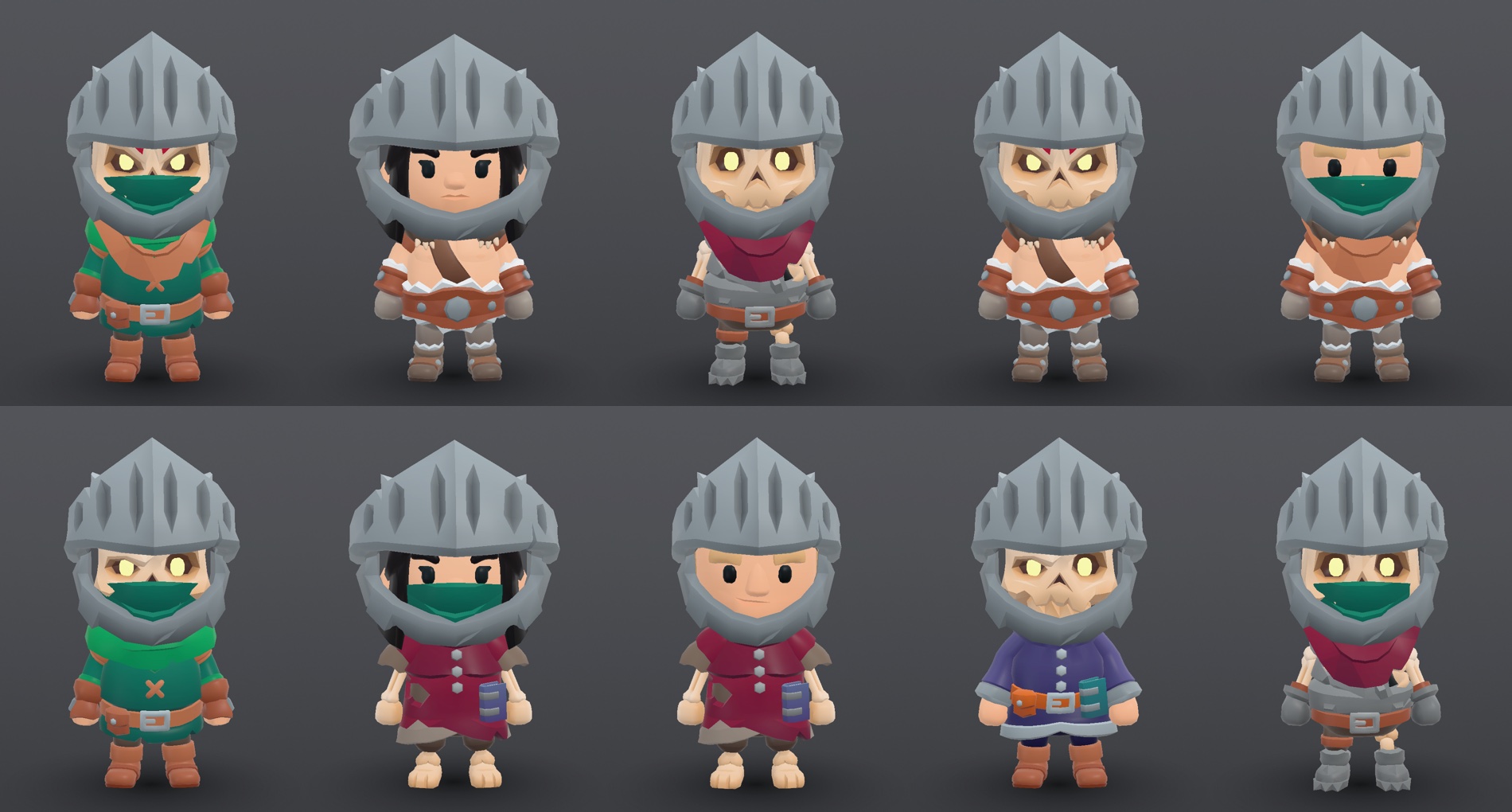
Any project is a recipe.
File ▸ Generate from Recipe… does the same from any .rigkin project, its pack read from the library. Build one guard, then make the whole garrison.
Generate Rigkin Characters
From a recipe: how many, the number of the first variant, and the format — files out, ready for a build step.
Export Rigkin Character
A project in, its character out as one file. In the Shortcuts app, or from Terminal with shortcuts run.
Once, for every Mac you use.
Buy Pro inside Rigkin, in Settings ▸ Pro. It's yours on every Mac signed in to your Apple Account; Restore Purchases brings it back on a new Mac or after reinstalling. No subscription, no account of ours.
Free on the Mac App Store.
Everything you build by hand is free, in every format. Pro makes characters by the dozen.