See it move before your engine does.
A pack's clips play on whatever the character wears, so a cape that clips through a leg or a hat that drifts off shows up here, not in your game. Add folders of clips, play clips made for another rig, and choose which ones leave with the character.
Every clip in the pack, a menu away.
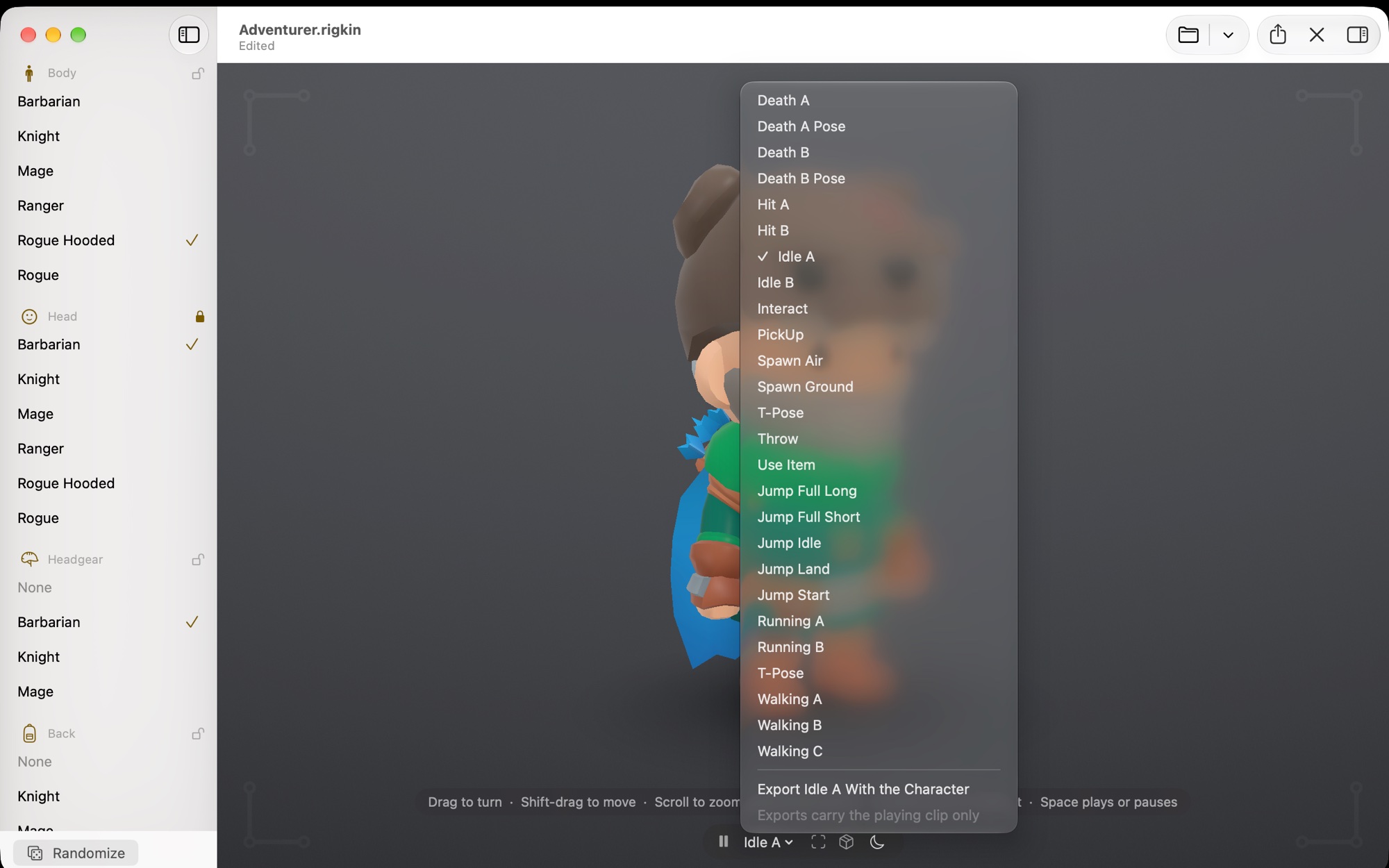
A character or pack with animation starts playing as it opens — an idle, when the pack has one. The menu beside Play chooses which clip plays, grouped by the folder each came from, and the project remembers the one you chose.
- Add Animations Folder… reads a folder of clips and every folder inside it — choose the one you want, or search.
- Space plays and pauses; a clip holds still while another app is in front, and carries on when you're back.
Clips made for another rig, played on yours.
A clip made for a different humanoid skeleton is retargeted onto your character instead of being refused. Each joint is matched by what it is — an upper arm, a knee — whatever the rig calls it, and the hips travel by the clip's own, scaled to your character's height.
- Any humanoid rig with hips, a spine, a head, two arms to the hand and two legs to the foot.
- Buy animations once and use them across every character pack you own.
Joints matched by what they are
Hips, spine, head, each arm to the hand and each leg to the foot — under whatever names the rig gives them.
Left at rest
A cape's bones or a ponytail's, which the clip knows nothing of, keep their own pose under the joint they hang from.
Mark walk, run and attack. They leave with the character.
The playing clip always goes out with an export. Mark any other in the clip menu with Export … With the Character and every export carries it too — never the whole folder, which can be hundreds of clips your game doesn't need.
One animation each
Each clip is its own skeleton animation, named for the clip, ready for an engine to ask for by name.
One animation each
Each clip a glTF animation, with the mesh written once.
One take each
Each clip an animation stack, keyed at every frame, as Blender, Unity and Unreal read them.
Part of the project
Which clips are marked is saved and undoable, and every export path takes the same cut.
Free on the Mac App Store.
Everything you build by hand is free, in every format. Pro makes characters by the dozen.